

正文
Unity3D protobuf-net使用方式

 提示:扫一扫查出行
【扫一扫了解最新限行尾号】
复制提示
1、下载protobuf-net
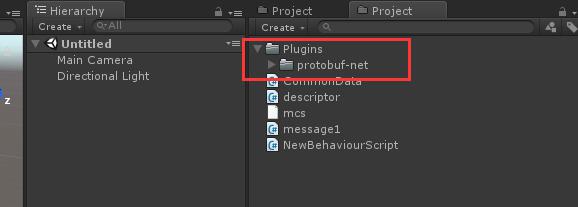
2、创建Unity工程,创建一个Plugins文件夹,将protobuf-net解压把里面得protobuf-net放到Plugins
3、创建一个名为mcs的文本文件,里面写上-unsafe
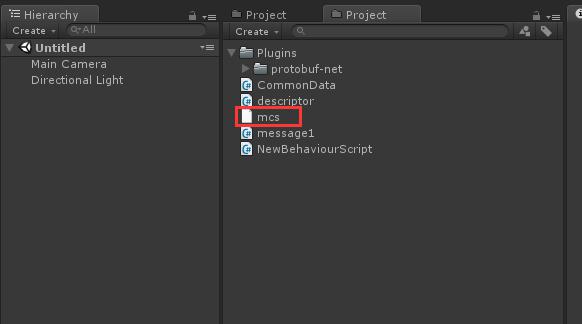
4、重启Unity
5、编译自动生成cs代码工具
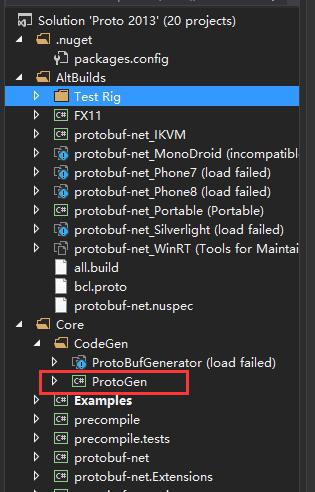
protogen.exe就是刚才生成的
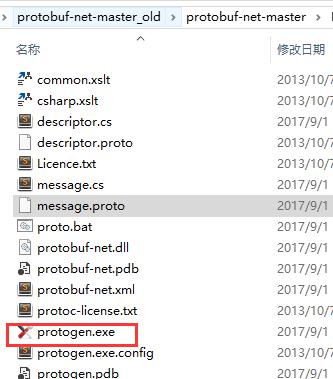
6、编写.proto文件
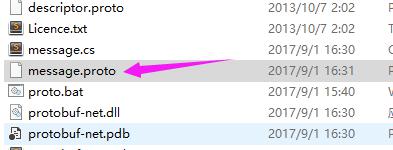
message.proto里写入
message TeamCharacterOne
{
requireduint64CharacterId= 1;
requiredstringCharacterName= 2;
requiredint32RoleId= 3;
requiredint32Level= 4;
requiredint32Ladder= 5;
requiredint32FightPoint= 6;
optionalint32QueueResult= 7;
}
7、 生成.cs代码
创建一个proto.bat文件文件
里面写入
@echo off
rem 查找文件
for /f "delims=" %%i in ('dir /b ".\*.proto"') do echo %%i
rem 转cpp for /f "delims=" %%i in ('dir /b/a "*.proto"') do protoc -I=. --cpp_out=. %%i
for /f "delims=" %%i in ('dir /b/a "*.proto"') do protogen -i:%%i -o:%%~ni.cs
pause
8、把代码放入Unity工程
9、写测试代码
using message;
using System.Collections;
using System.Collections.Generic;
using System.IO;
using UnityEngine;public class NewBehaviourScript : MonoBehaviour {// Use this for initialization
void Start () {
var a = new TeamCharacterOne();
a.CharacterId = 10;
a.CharacterName = "fdsafd";
var b = Serialize(a);var data = Deserialize<TeamCharacterOne>(b);
Debug.Log(data.CharacterName);
}// Update is called once per frame
void Update () {}byte[] Serialize(object o)
{
using (MemoryStream ms = new MemoryStream())
{
ProtoBuf.Serializer.Serialize(ms, o);
byte[] result = new byte[ms.Length];
ms.Position = 0;
ms.Read(result, 0, result.Length);return result;
}
}T Deserialize<T>(byte[] b)
{
using (MemoryStream ms = new MemoryStream())
{ms.Write(b, 0, b.Length);
ms.Position = 0;
return ProtoBuf.Serializer.Deserialize<T>(ms);
}
}
}


