正文
步步为营-69-Razor基础

 提示:扫一扫查出行
【扫一扫了解最新限行尾号】
复制提示
作用:进一步将HTML代码和C#代码进行解耦
1.1 引用程序集(RazorEngine.dll,System.Web.Razor.dll)
1.1.1 可以从http://razorengine.codeplex.com/ 上下载
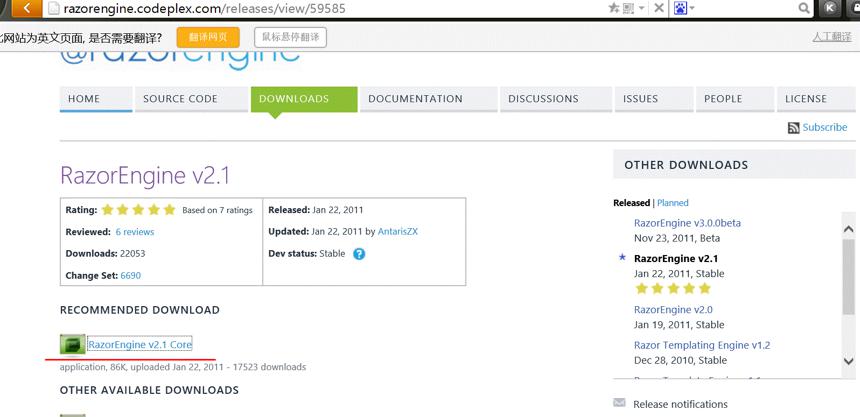
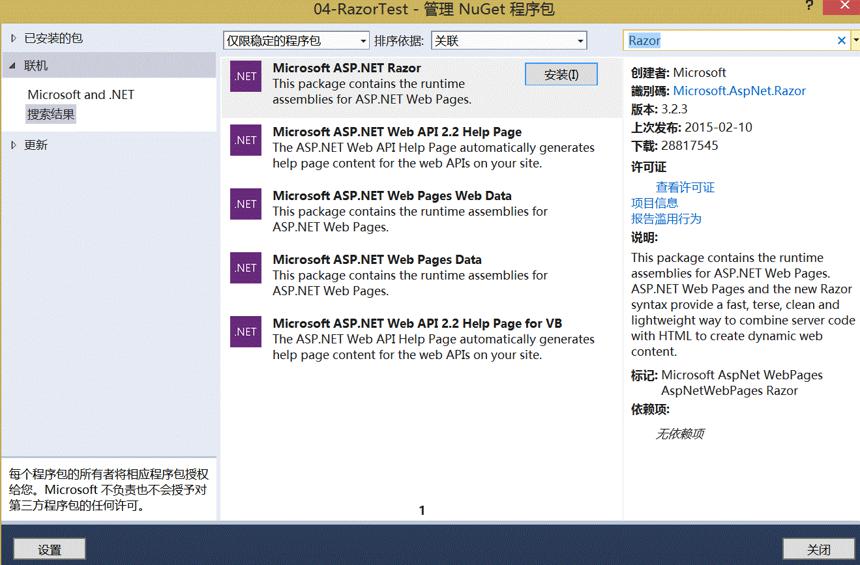
1.1.2 也可以NuGet程序包安装(建议使用第一种,因为这个安装完成后只有System.Web.Razor.dll这一个,)
1.2 Parse的使用
<!DOCTYPE html>
<html xmlns="http://www.w3.org/1999/xhtml">
<head>
<meta http-equiv="Content-Type" content="text/html; charset=utf-8"/>
<title></title>
</head>
<body>
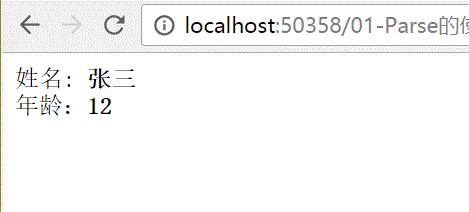
姓名: <b>@Model.Name</b>
<!--姓名2: <b>@Model.Name</b>-->
</br>
年龄:<b>@Model.Age</b> </body>
</html>
html
using RazorEngine;
using System;
using System.Collections.Generic;
using System.IO;
using System.Linq;
using System.Web;
using System.Web.Razor;
namespace _04_RazorTest
{
/// <summary>
/// _01_Parse的使用 的摘要说明
/// </summary>
public class _01_Parse的使用 : IHttpHandler
{ public void ProcessRequest(HttpContext context)
{
context.Response.ContentType = "text/html";
//01获取要想要使用的HTML
string html = File.ReadAllText(AppDomain.CurrentDomain.BaseDirectory+"01-Parse的使用.html"); html = Razor.Parse(html, new { Name="张三",Age =});
context.Response.Write(html);
} public bool IsReusable
{
get
{
return false;
}
}
}
}
ashx
1.3 通过Razor还可以直接在html中写C#代码
<!DOCTYPE html>
<html xmlns="http://www.w3.org/1999/xhtml">
<head>
<meta http-equiv="Content-Type" content="text/html; charset=utf-8"/>
<title></title>
</head>
<body>
@{
for(int i=;i<Model;i++){
if(i%==)
{
<b>@i</b>
}
} }
</body>
</html>
html
using RazorEngine;
using System;
using System.Collections.Generic;
using System.IO;
using System.Linq;
using System.Web;
using System.Web.Razor;
namespace _04_RazorTest
{
/// <summary>
/// _01_Parse的使用 的摘要说明
/// </summary>
public class _02_Parse的使用_2 : IHttpHandler
{ public void ProcessRequest(HttpContext context)
{
context.Response.ContentType = "text/html";
//01获取要想要使用的HTML
string html = File.ReadAllText(AppDomain.CurrentDomain.BaseDirectory+"02-Parse的使用-2.html"); html = Razor.Parse(html, );
context.Response.Write(html);
} public bool IsReusable
{
get
{
return false;
}
}
}
}
ashx

1.4 类似母版页
using RazorEngine;
using System;
using System.Collections.Generic;
using System.IO;
using System.Linq;
using System.Web;namespace _04_RazorTest
{
/// <summary>
/// _03_类似母版页 的摘要说明
/// </summary>
public class _03_类似母版页 : IHttpHandler
{ public void ProcessRequest(HttpContext context)
{
context.Response.ContentType = "text/html";
//01 获取HTML页
string html = File.ReadAllText(AppDomain.CurrentDomain.BaseDirectory+"03-类似母版页.html");
string top = File.ReadAllText(AppDomain.CurrentDomain.BaseDirectory+"03-Top.html");
//02 编译 替换
Razor.Compile( top,"Top");
//03 必须先Compile,再Parse
html= Razor.Parse(html, new {Name = "张三" });
context.Response.Write(html);
} public bool IsReusable
{
get
{
return false;
}
}
}
}
ashx
<!DOCTYPE html>
<html xmlns="http://www.w3.org/1999/xhtml">
<head>
<meta http-equiv="Content-Type" content="text/html; charset=utf-8"/>
<title></title>
</head>
<body>
@Include("Top")
<hr />
姓名: <b>@Model.Name</b>
</body>
</html>
03-类似母版页.html
<!DOCTYPE html>
<html xmlns="http://www.w3.org/1999/xhtml">
<head>
<meta http-equiv="Content-Type" content="text/html; charset=utf-8"/>
<title></title>
</head>
<body>
<b>这是标题行</b>
</body>
</html>
Top.html

1.5 对Razor的封装
1.5.1 正常不使用Razor的代码实现
<!DOCTYPE html>
<html xmlns="http://www.w3.org/1999/xhtml">
<head>
<meta http-equiv="Content-Type" content="text/html; charset=utf-8"/>
<title></title>
</head>
<body>
<table >
<thead><th>新闻</th><th>类型</th></thead>
$content
</table>
</body>
</html>
html
using System;
using System.Collections.Generic;
using System.Data;
using System.IO;
using System.Linq;
using System.Text;
using System.Web;namespace _03_新闻
{
/// <summary>
/// NewsIndex 的摘要说明
/// </summary>
public class NewsIndex : IHttpHandler
{ public void ProcessRequest(HttpContext context)
{
context.Response.ContentType = "text/html";
string sql = "select * from TypeInfo";
DataTable dt = SqlHelper.ExecuteTable(sql);
int count = dt.Rows.Count;
StringBuilder sb = new StringBuilder();
if (count > )
{
foreach (DataRow dr in dt.Rows)
{
sb.Append("<tr>");
sb.Append("<td>");
sb.Append(dr["TypeTitle"]);
sb.Append("</td>");
sb.Append("<td>");
sb.Append(dr["TypeParentId"]);
sb.Append("</td>");
sb.Append("</tr>");
}
}
else {
sb.Append("<tr>");
sb.Append("<td>");
sb.Append("没有数据");
sb.Append("</td>");
sb.Append("</tr>");
} string html = File.ReadAllText(Path.Combine(AppDomain.CurrentDomain.BaseDirectory,"NewsIndex.html"));
html = html.Replace("$content",sb.ToString());
context.Response.Write(html);
} public bool IsReusable
{
get
{
return false;
}
}
}
}
ashx
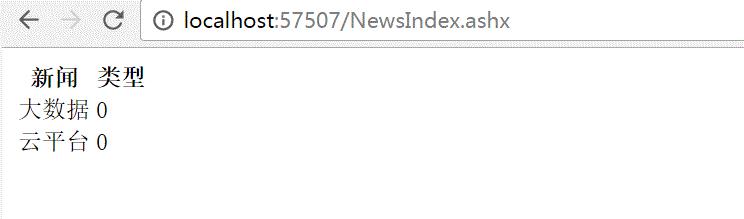
1.5.2 通过Razor的代码实现
1.5.2.1 封装RazorHelper类
using RazorEngine;
using System;
using System.Collections.Generic;
using System.Data;
using System.IO;
using System.Linq;
using System.Web;namespace _03_新闻
{
public static class RazorHelper
{
#region 01 渲染
public static void Render(string modelName ,object obj,params IncludeType[] ps)
{ #region 01Compile
//01-01 首先进行Compile -- Razor.Compile(top,"Top");
//--需要两个参数,所以封装一个内部类,
//--由于传递来的个数不确定,所以使用params
if (ps.Length > )
{
int count = ps.Length;
for (int i = ; i < count; i++)
{
IncludeType t1 = ps[i];
string temp;
//确定是文件
if (t1.IsFile)
{
temp = File.ReadAllText(AppDomain.CurrentDomain.BaseDirectory + "View\\" + t1.Content);
}
else
{
temp = t1.Content;
}
//关键一步
Razor.Compile(temp, t1.Title);
}
}
#endregion #region 02 Parse
// html= Razor.Parse(html, new {Name = "张三" });
string html = File.ReadAllText(AppDomain.CurrentDomain.BaseDirectory+"View\\"+modelName);
html = Razor.Parse(html,obj); #endregion #region 03 输出响应流
HttpContext.Current.Response.Write(html);
#endregion
}
#endregion
#region 02 定义一个母版页的类型
/// <summary>
/// 定义一个母版页的类型 Razor.Compile(Content,Title)时候用
/// </summary>
public class IncludeType
{
//02-01 定义标题Razor.Compile(Content,Title);
public string Title { get; set; }
//02-02 定义内容
public string Content { get; set; }
//02-03 定义是否是文件(文件,字符串)
public bool IsFile { get; set; } }
#endregion
}
}
RazorHelper
<!DOCTYPE html>
@using System.Data;<html xmlns="http://www.w3.org/1999/xhtml">
<head>
<meta http-equiv="Content-Type" content="text/html; charset=utf-8"/>
<title></title>
</head>
<body>
<table>
<thead>
<th>新闻</th>
<th>类型</th>
</thead>
@{
DataTable dt = Model as DataTable; <!--这一句代码很重要-->
if(dt.Rows.Count >){
int count = dt.Rows.Count;
for(int i=;i<count;i++)
{
<tr>
<td> @dt.Rows[i]["TypeTitle"]</td>
<td>@dt.Rows[i]["TypeParentId"]</td>
</tr>
} }else
{
<tr>
<td>没有数据,</td>
</tr>
}
}
</table>
</body>
</html>
html
using System;
using System.Collections.Generic;
using System.Data;
using System.Linq;
using System.Web;namespace _03_新闻
{
/// <summary>
/// NewsRazor 的摘要说明
/// </summary>
public class NewsRazor : IHttpHandler
{ public void ProcessRequest(HttpContext context)
{
context.Response.ContentType = "text/html";
string sql = "select * from TypeInfo";
DataTable dt = SqlHelper.ExecuteTable(sql);
int count = dt.Rows.Count;
RazorHelper.Render("ModelNewsShow.html", dt);
} public bool IsReusable
{
get
{
return false;
}
}
}
}
NewsRazor
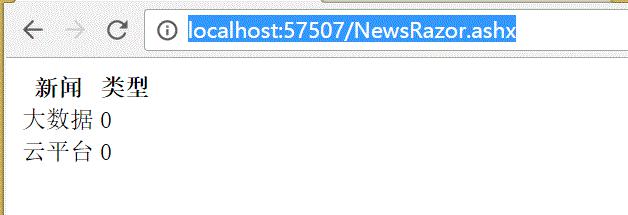
1.5.2.2 进一步完善--母版页
只需要改3处
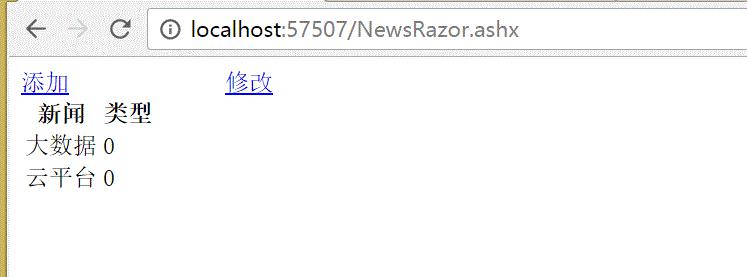
01-添加Top页面
<!DOCTYPE html>
<html xmlns="http://www.w3.org/1999/xhtml">
<head>
<meta http-equiv="Content-Type" content="text/html; charset=utf-8"/>
<title></title>
</head>
<body>
<a href="#">添加</a>
<a href="#">修改</a>
</body>
</html>
Top.html
02- 修改html页面
<!DOCTYPE html>
@using System.Data;<html xmlns="http://www.w3.org/1999/xhtml">
<head>
<meta http-equiv="Content-Type" content="text/html; charset=utf-8"/>
<title></title>
</head>
<body>
@Include("Top")
<br />
<table>
<thead>
<th>新闻</th>
<th>类型</th>
</thead>
@{
DataTable dt = Model as DataTable; <!--这一句代码很重要-->
if(dt.Rows.Count >){
int count = dt.Rows.Count;
for(int i=;i<count;i++)
{
<tr>
<td> @dt.Rows[i]["TypeTitle"]</td>
<td>@dt.Rows[i]["TypeParentId"]</td>
</tr>
} }else
{
<tr>
<td>没有数据,</td>
</tr>
}
}
</table>
</body>
</html>
html
@Include("Top")
03-修改NewRazor.ashx调用处
using System;
using System.Collections.Generic;
using System.Data;
using System.Linq;
using System.Web;namespace _03_新闻
{
/// <summary>
/// NewsRazor 的摘要说明
/// </summary>
public class NewsRazor : IHttpHandler
{ public void ProcessRequest(HttpContext context)
{
context.Response.ContentType = "text/html";
string sql = "select * from TypeInfo";
DataTable dt = SqlHelper.ExecuteTable(sql);
//int count = dt.Rows.Count;
RazorHelper.Render("ModelNewsShow.html", dt, new RazorHelper.IncludeType { Title ="Top",Content="Top.html",IsFile = true});
} public bool IsReusable
{
get
{
return false;
}
}
}
}
NewsRazor
RazorHelper.Render("ModelNewsShow.html", dt, new RazorHelper.IncludeType { Title ="Top",Content="Top.html",IsFile = true});