

正文
设置靠近 水平居中的主体内容Div 的 左侧位置固定的Div

 提示:扫一扫查出行
【扫一扫了解最新限行尾号】
复制提示
示例效果:
1.主体内容的divMain 水平居中;
2.divLeft 靠近divMain ,位置固定,不随垂直滚动条而动;
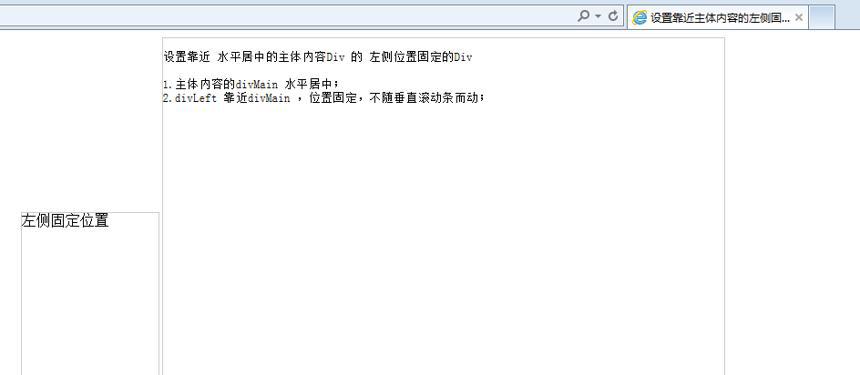
相关代码:
<html>
<head runat="server">
<title>设置靠近主体内容的左侧固定位置的Div</title><style>
#divLeft
{
position:fixed;/* 固定位置 */
top:200px;
border:solid 1px #ccc;
width:150px;
height:500px;
} #divMain{
width:918px;
height:2000px;
border:solid 1px #ccc;
margin:0 auto;/* 水平居中 */}</style></head>
<body onresize="setDivLeftPosition();" ><div id="divMain"></div><div id="divLeft">
左侧固定位置
</div></body>
</html><script type="text/javascript">
//动态调整左侧Div的位置
function setDivLeftPosition() {
var divMain = document.getElementById("divMain");
document.getElementById("divLeft").style.left = (divMain.offsetLeft - 155) + "px";
}
setDivLeftPosition(); // var top, left;
// if (div.currentStyle) { left = div.currentStyle.left; top = div.currentStyle.top; }
// else if (window.getComputedStyle) { left = window.getComputedStyle(div, null).left; top = window.getComputedStyle(div, null).top; }
// alert(left + "," + top);</script>


