

正文
django身份认证、权限认证、频率校验使用及源码分析

 提示:扫一扫查出行
【扫一扫了解最新限行尾号】
复制提示
一. 身份认证源码分析1.1 APIView源码的分析
APIView源码之前分析过https://www.cnblogs.com/maoruqiang/p/11135335.html,里面主要将request对象进行了封装,提供了额外的方法与属性,同时让装饰的CBV中方法忽略CSRF校验,最后还提供了身份认证、权限认证、频率校验等功能。
二. 身份认证源码分析及使用2.1 身份认证源码分析
在APIView中的dispatch方法中提供了三大校验:
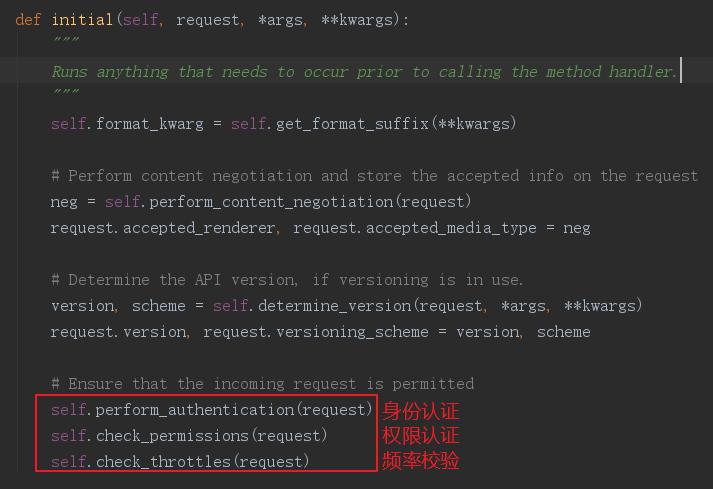
进入self.perform_authentication(request)方法
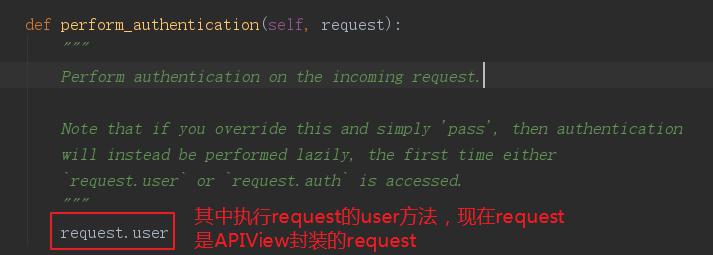
返回APIView的dispatch方法中:
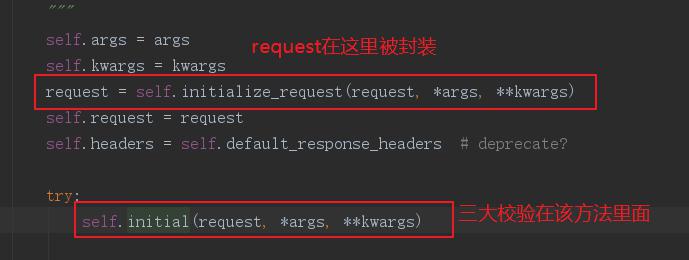
进入self.initialize_request(request, *args, **kwargs)
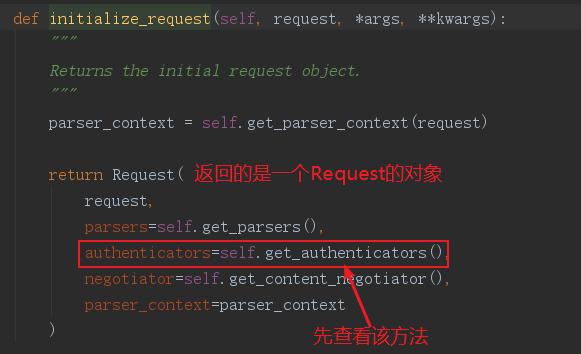
进入self.get_authenticators()
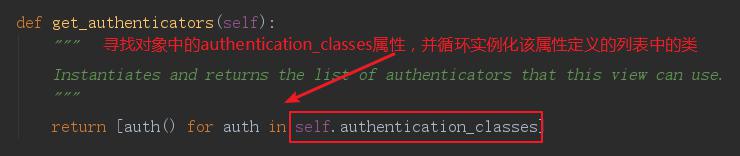
此时继承APIView的类中没有定义该属性,所以看看APIView中有没有
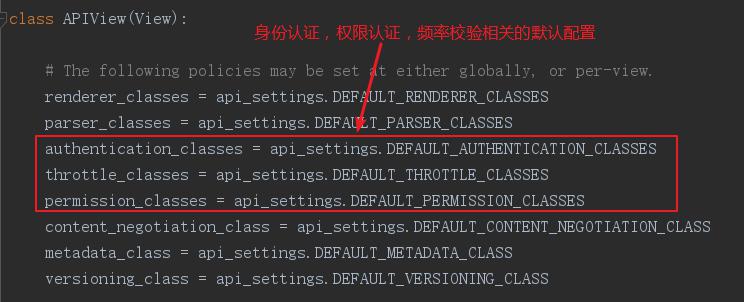
这里进入api_settings,搜索身份认证相关的配置
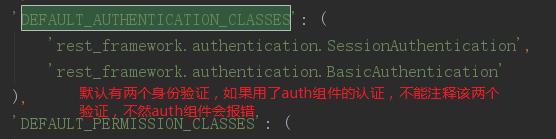
我们将其复制到django项目中的settings.py中:
REST_FRAMEWORK = {
# 身份认证配置,实际上这是全局配置
'DEFAULT_AUTHENTICATION_CLASSES': (
'rest_framework.authentication.SessionAuthentication',
'rest_framework.authentication.BasicAuthentication',
)
}
随后回到requst.user,因为request是Request的对象,所以只需的是Request的user方法
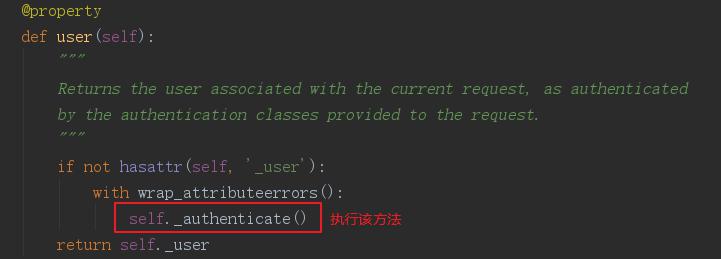
点击进入self._authenticate()
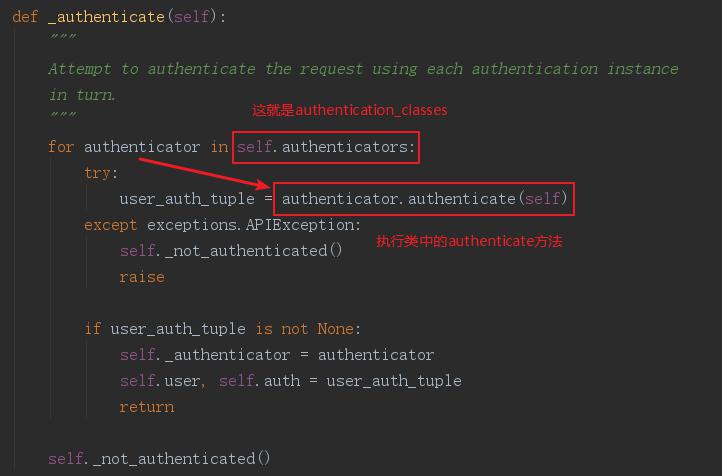
这就意味着我们要重写authenticate方法,那么要继承什么类吗,去之前复制到settings.py中默认的两个身份认证类中看看(将字符串复制出来改成导包的形式即可点击进入),随后进入其父类BaseAuthentication
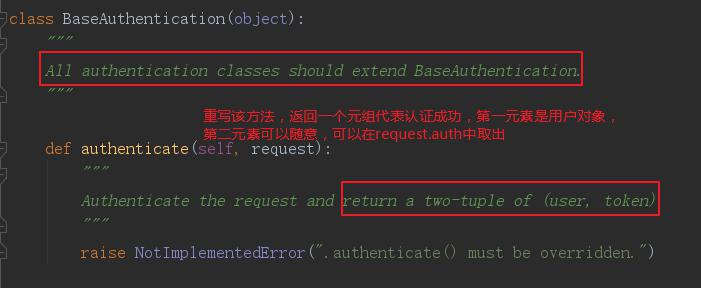
在应用文件夹下新建myauthenticate.py文件,其中书写如下:
from rest_framework.authentication import BaseAuthentication
from rest_framework.exceptions import AuthenticationFailed
from django.contrib import auth# 身份认证组件
class AuthenticateSybil(BaseAuthentication):
def authenticate(self, request):
username = request.data.get('username')
pwd = request.data.get('password')
print('身份认证开始', username, pwd)
user_obj = auth.authenticate(username=username, password=pwd)
if user_obj:
# 分别可以使用request.user, request.auth取到
return user_obj, '认证通过'
else:
# 用于认证失败时返回信息给前端
raise AuthenticationFailed('认证失败')
随便可以全局配置settings.py:
REST_FRAMEWORK = {
# 身份认证配置
'DEFAULT_AUTHENTICATION_CLASSES': (
'rest_framework.authentication.SessionAuthentication',
'rest_framework.authentication.BasicAuthentication',
'app02.myauthticate.AuthenticateSybil'
)
}
区部配置,在视图类中写即可
from rest_framework.views import APIView
from rest_framework.response import Response
from app02.myauthticate import AuthenticateSybil
# Create your views here.class Test(APIView):
authentication_classes = [AuthenticateSybil]
#复制列表为空则是局部忽略校验
authentication_classes = []
def post(self, *args, **kwargs):
print('成功进入视图函数')
return Response({"name": "sybil"})
2.2 权限校验源码分析及使用
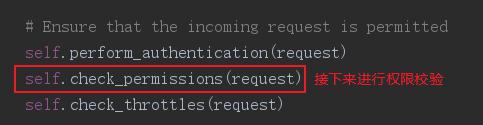
进入self.check_permissions(request)
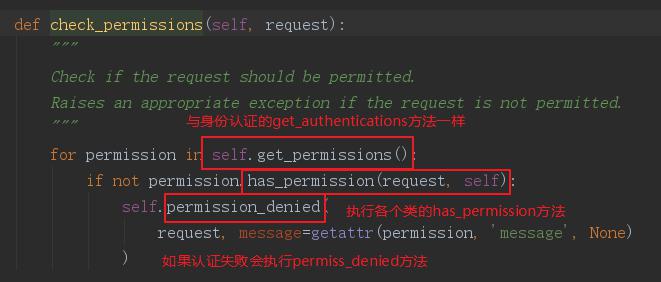
老样子,去api_settings中搜索权限校验类,看看他们怎么写的
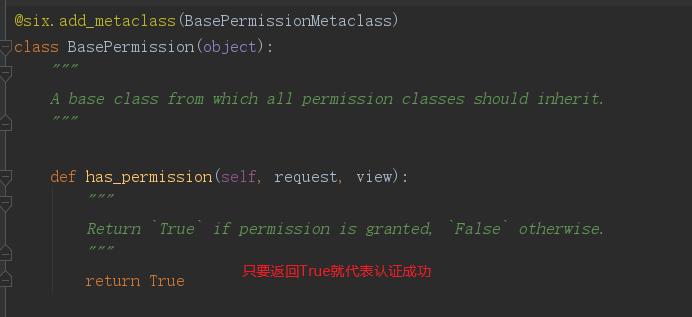
同时看看permission_denied
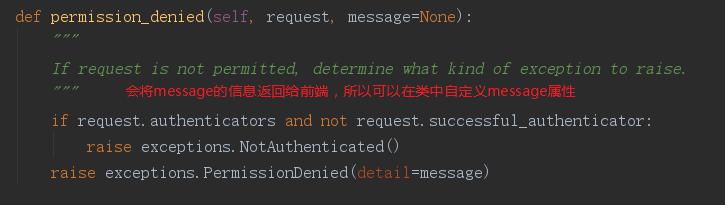
同样在myauthenticate.py中书写该认证
from rest_framework.permissions import BasePermission# 权限认证组件
class PermissionSybil(BasePermission):
message = '' def has_permission(self, request, view):
print('权限认证开始')
user_obj = request.user
if not user_obj.is_superuser:
self.message = '权限不足'
else:
return True
全局配置:
REST_FRAMEWORK = {
# 身份认证配置
'DEFAULT_AUTHENTICATION_CLASSES': (
'rest_framework.authentication.SessionAuthentication',
'rest_framework.authentication.BasicAuthentication',
'app02.myauthticate.AuthenticateSybil'
),
# 权限校验全局配置
'DEFAULT_PERMISSION_CLASSES': (
'rest_framework.permissions.AllowAny',
'app02.myauthticate.PermissionSybil'
)
}
局部配置
class Test(APIView):
authentication_classes = [AuthenticateSybil]
#局部配置,如果想忽略校验则将值改为空[]
permission_classes = [PermissionSybil] def post(self, *args, **kwargs):
print('成功进入视图函数')
return Response({"name": "sybil"})
2.3 频率校验源码分析及使用
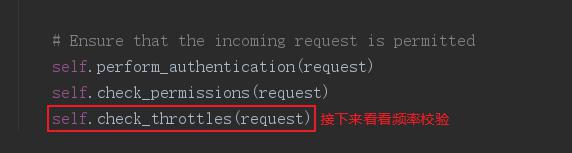
进入self.check_throttles(request)
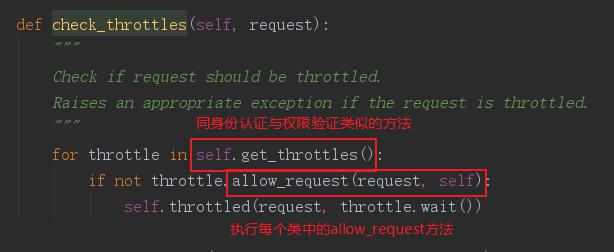
所以我们需要重写allow_request方法,点击进入频率校验的父类:
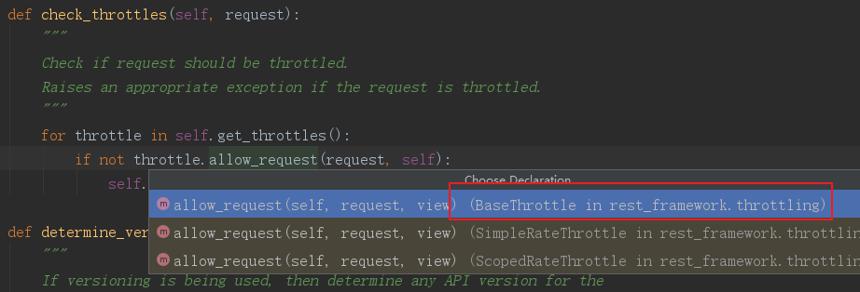
父类方法如下:
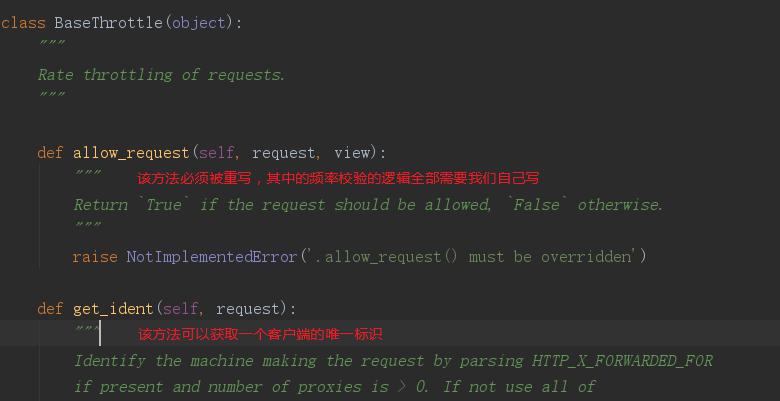
为了方便,我们使用SimpleRateThrottle
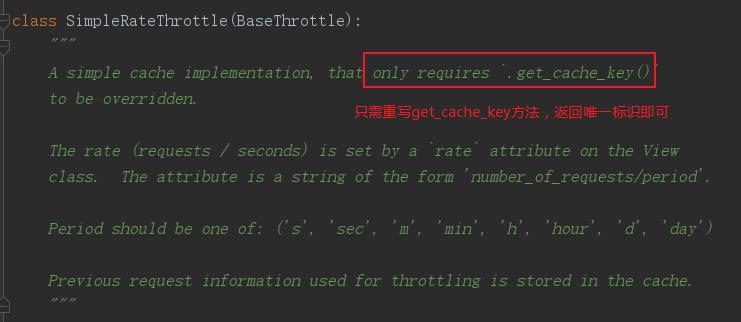
该类实例化时会执行__init__
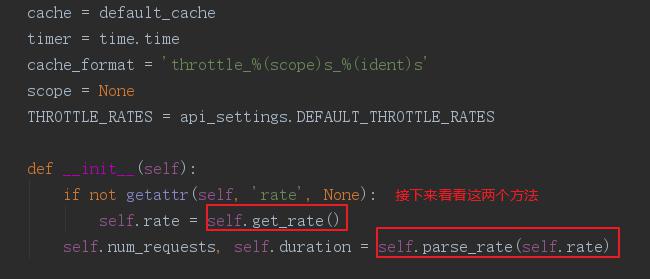
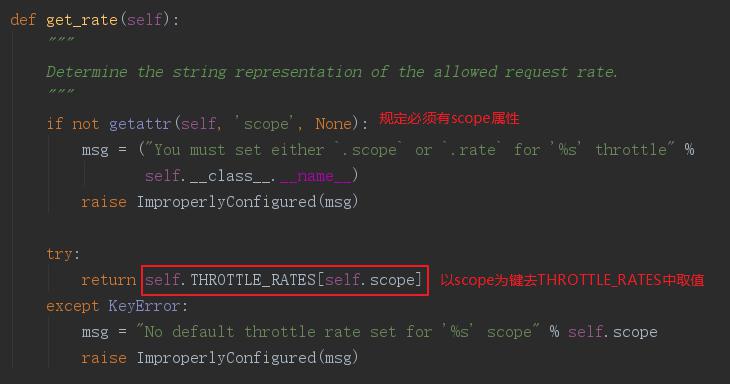
先看看get_rate()方法
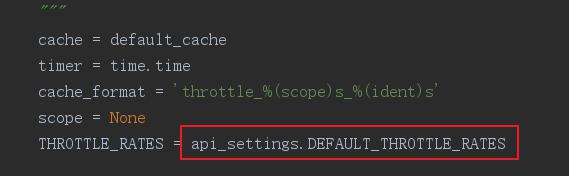
那么THROTTLE_RATES是啥,我们看看
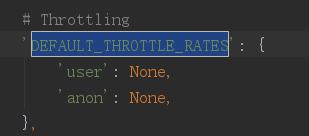
去api_settings中查看
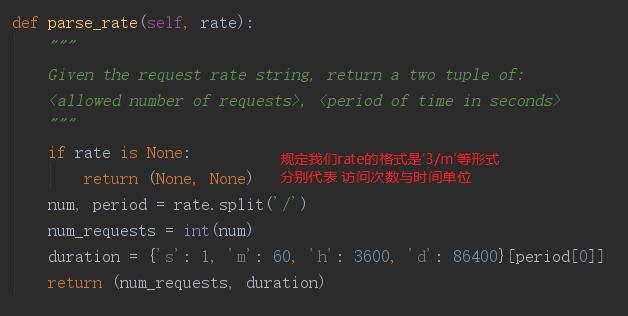
接下来看看self.parse_rate(self.rate)方法
然后看看频率组件需要重写的allow_request
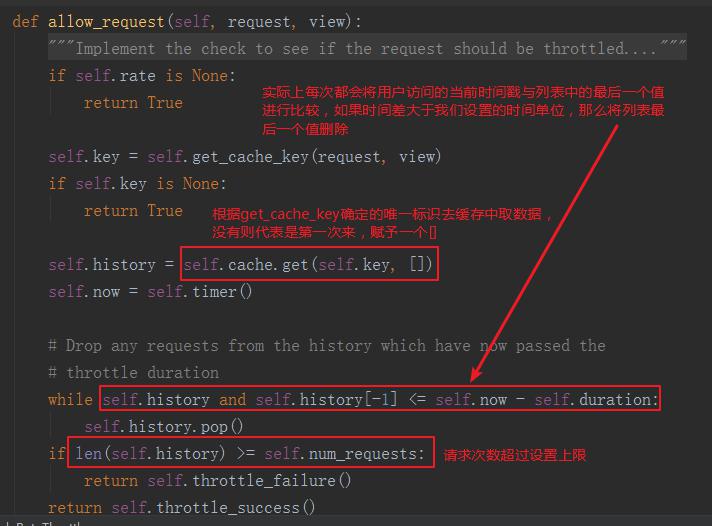
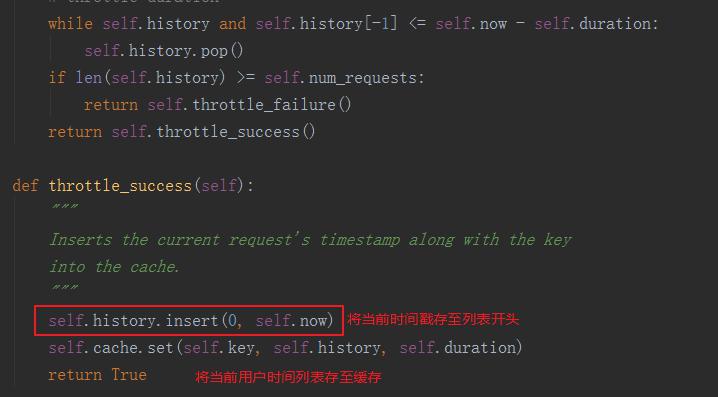
看看throttle_success
自定义频率组件,这里同样写在myauthenticate.py中
from rest_framework.throttling import SimpleRateThrottle# 频率校验
class ThrottleSybil(SimpleRateThrottle):
scope = 'Isybil' def get_cache_key(self, request, view):
# 这里可以直接调用父类的get_ident获取唯一标识
return super(ThrottleSybil, self).get_ident(request)
全局配置:
REST_FRAMEWORK = {
# 身份认证配置
'DEFAULT_AUTHENTICATION_CLASSES': (
'rest_framework.authentication.SessionAuthentication',
'rest_framework.authentication.BasicAuthentication',
'app02.myauthticate.AuthenticateSybil'
),
# 权限认证全局配置
'DEFAULT_PERMISSION_CLASSES': (
'rest_framework.permissions.AllowAny',
'app02.myauthticate.PermissionSybil'
),
# 频率校验全局配置
'DEFAULT_THROTTLE_CLASSES': (
'app02.myauthticate.ThrottleSybil',
),
'DEFAULT_THROTTLE_RATES': {
# 用户Isybil的频率限制,类中scope = 'Isybil'可以获取该限制
'Isybil': '3/m',
},
}
局部配置
from rest_framework.views import APIView
from rest_framework.response import Response
from app02.myauthticate import AuthenticateSybil, PermissionSybil, ThrottleSybil
# Create your views here.class Test(APIView):
authentication_classes = [AuthenticateSybil]
permission_classes = [PermissionSybil]
throttle_classes = [ThrottleSybil] def post(self, *args, **kwargs):
print('成功进入视图函数')
return Response({"name": "sybil"})


