

正文
App配置页面头部

 提示:扫一扫查出行
【扫一扫了解最新限行尾号】
复制提示
记录一下
App配置页面头部
例
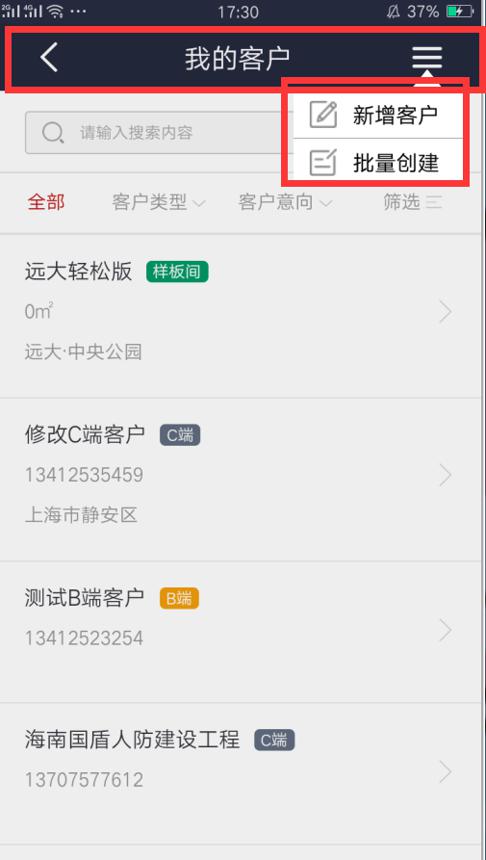
上图红色框部分就是自己配置的头部
//我的客户
"/OACustomer/Index": { title: "我的客户", headRight: [{ foreImage: "icondrop", type: "DropDownList",
menus: [{ iconImage: "iconcontentchange", alpha: "100", text: "新增客户", textSize: 16, textColor: "000000", backColor: "FFFFFF", eventString: "$.openWindow('/OACustomer/AddCustomerView')" },
{ iconImage: "iconcreateproject", text: "批量创建", textSize: 16, textColor: "000000", backColor: "FFFFFF", alpha: "100", eventString: "$.openWindow('/Building/SelectBuildingForSelect')" }], }] },
//title: "我的客户", 页面上中间的标题
//headRight:右边的内容 左边的没配置暂时是默认的
//type: "DropDownList" 类型为点击下拉框(DropDownList) 还可以是按钮(Button)、文本标签(Label)
//eventString:里面放自定义事件 click()
我这里都是写在openpage.js 自己的一个插件


