

正文
Android Studio 之 通过 Intent 完成点击按钮实现页面跳转

 提示:扫一扫查出行
【扫一扫了解最新限行尾号】
复制提示
•Intent 简介
Intent 是 Android 程序中各组件之间进行交互的一种重要方式;
它不仅可以指明当前组件想要执行的动作,还可以在不同组件之间传递数据。
Intent 有多个构造函数,其中一个是 Intent(Context packageContext, Class<?> cls):
- 第一个参数 Context 要求提供一个启动活动的上下文
- 第二个参数 Class 则是指定想要启动的目标活动
通过这个构造函数可以构建出 Intent 的 “意图”;
•设置跳转界面
新建一个 Empty Activity,命名为 AnotherActivity;
修改 activity_another.xml 中的代码;
activity_another.xml
<?xml version="1.0" encoding="utf-8"?>
<RelativeLayout xmlns:android="http://schemas.android.com/apk/res/android"
android:layout_width="match_parent"
android:layout_height="match_parent"> <TextView
android:layout_width="wrap_content"
android:layout_height="wrap_content"
android:layout_centerInParent="true"
android:text="This is Another Activity!"
android:textSize="20sp"
android:textColor="@color/black"/></RelativeLayout>该代码只放置了一个用于显示文本的 TextView;
•跳转前的准备工作
在 activity_main.xml 中创建一个 Button 控件,并设置其 id 为 btn,代码如下;
activity_main.xml
<?xml version="1.0" encoding="utf-8"?>
<RelativeLayout xmlns:android="http://schemas.android.com/apk/res/android"
android:layout_width="match_parent"
android:layout_height="match_parent"> <Button
android:id="@+id/btn"
android:layout_width="wrap_content"
android:layout_height="wrap_content"
android:layout_centerInParent="true"
android:text="跳转"
/></RelativeLayout><?xml version="1.0" encoding="utf-8"?>
<RelativeLayout xmlns:android="http://schemas.android.com/apk/res/android"
android:layout_width="match_parent"
android:layout_height="match_parent"> <Button
android:id="@+id/btn"
android:layout_width="wrap_content"
android:layout_height="wrap_content"
android:layout_centerInParent="true"
android:text="跳转"
/></RelativeLayout>
•使用 Intent 完成跳转
接下来修改 MainActivity.java 中的代码;
MainActivity.java
public class MainActivity extends AppCompatActivity { private Button mBtn;
@Override
protected void onCreate(Bundle savedInstanceState) {
super.onCreate(savedInstanceState);
setContentView(R.layout.activity_main); mBtn = findViewById(R.id.btn);
mBtn.setOnClickListener(new View.OnClickListener(){ @Override
public void onClick(View v) {
Intent intent = new Intent(MainActivity.this,AnotherActivity.class);
startActivity(intent);
}
});
}
}在 MainActivity.java 中创建一个 Button 变量 mBtn;
通过 findViewById(R.id.btn) 找到 btn 这个组件;
创建一个新的 Activity,姑且命名为 nextActivity;
然后,通过为 mBtn 设置点击事件完成界面跳转;
mBtn.setOnClickListener(new View.OnClickListener(){ public void onClick(View view){
Intent intent=new Intent(MainActivity.this,AnotherActivity.class);
startActivity(intent);
}});通过 Intent intent=new Intent(); ,我们构造出了一个 Intent;
传入 MainActivity.this 作为上下文,传入 AnotherActivity.class 作为活动目标;
这样我们的意图就非常明显了:在 MainActivity 这个活动的基础上打开 AnotherActivity 这个活动;
然后通过 startActivity() 方法来执行这个 Intent。
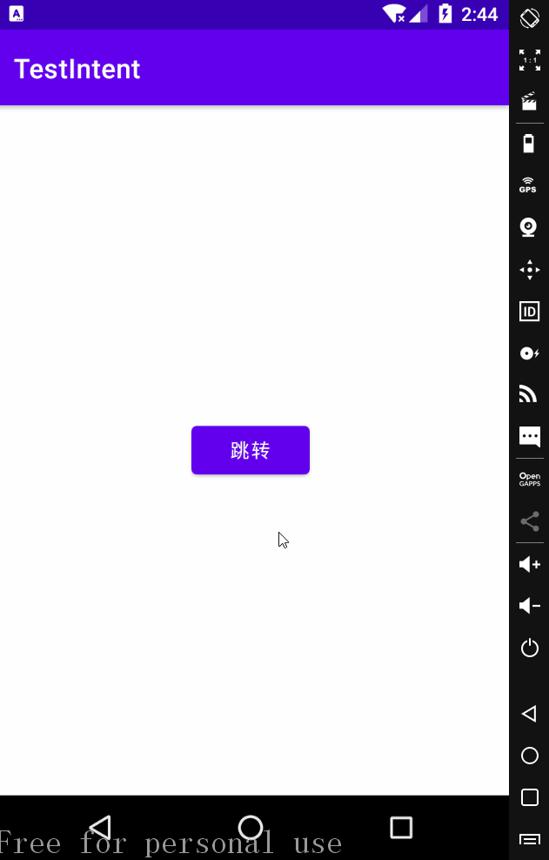
•运行效果
•其他跳转方式
除了使用 Intent intent=new Intent(MainActivity.this,AnotherActivity.class); 完成跳转外,
我们还可以这么写:
mBtn.setOnClickListener(new View.OnClickListener(){ @Override
public void onClick(View v) {
Intent intent = new Intent();
intent.setClass(MainActivity.this,AnotherActivity.class);
startActivity(intent);
}
});通过 intent.setClass() 方法完成跳转,效果是一样的;


