

正文
windows本地eclispe运行linux上hadoop的maperduce程序

 提示:扫一扫查出行
【扫一扫了解最新限行尾号】
复制提示
继续上一篇博文:hadoop集群的搭建
1.将linux节点上的hadoop安装包从linux上下载下来(你也可以从网上直接下载压缩包,解压后放到自己电脑上)
我的地址是:
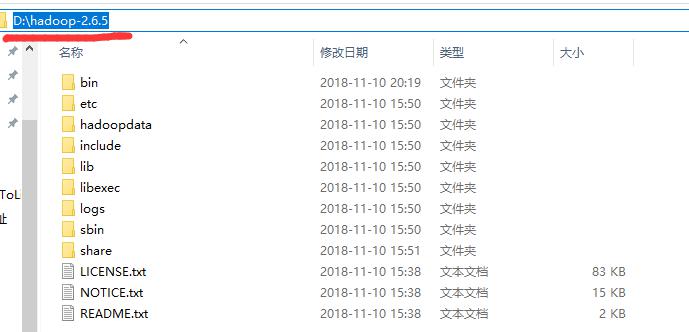
2.配置环境变量:
HADOOP_HOME D:\hadoop-2.6.5
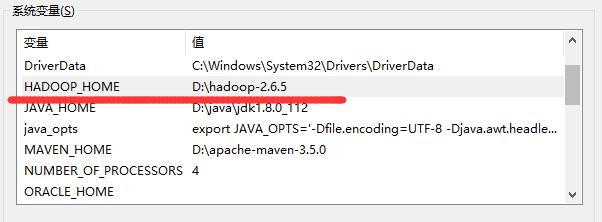
Path中添加:%HADOOP_HOME%\bin
3.下载hadoop-common-bin-master\2.7.1
并且拷贝其中的winutils.exe,libwinutils.lib这两个文件到hadoop安装目录的 bin目录下
拷贝其中hadoop.dll,拷贝到c:\windows\system32;
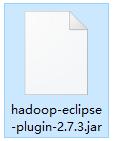
3.下载eclipse的hadoop插件
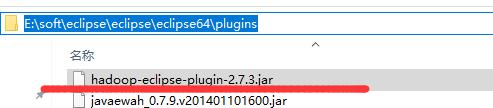
4.拷贝到eclispe的plugin文件夹中
5.eclispe==》window==》Preferences
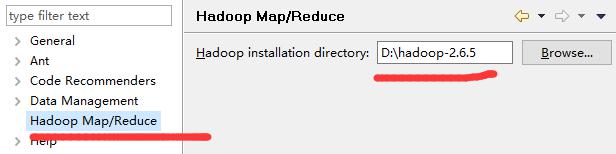
6.window==》show view==》other
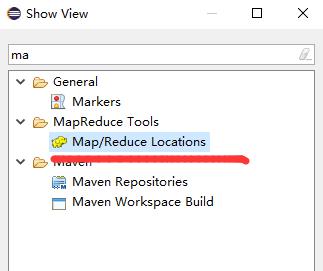
显示面版

7.Map.Reduce Locations 面版中右击
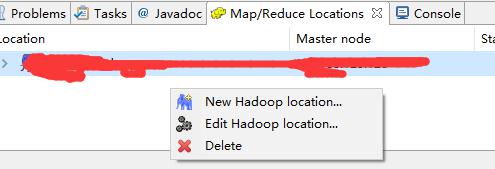
8.选择 第一个New Hadoop location
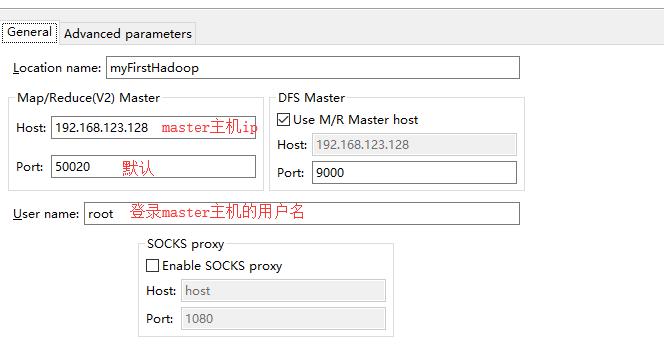
9.面板中多出来一头小象

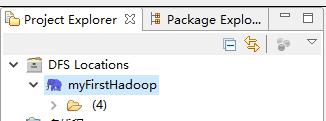
并且左侧的Project Explorer窗口中的DFS Locations看到我们刚才新建的hadoop Location。
10.linux上准备测试文件到
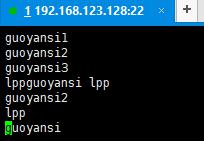
/opt中新建文件 hadoop.txt内容如下:
11.上传到hadoop
hadoop fs -put /opt/hadoop.txt /test/input/hadoop.txt
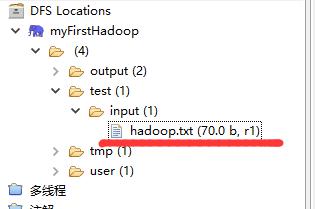
12.刷新eclipes的Hadoop Location 有我们刚才上传的文件
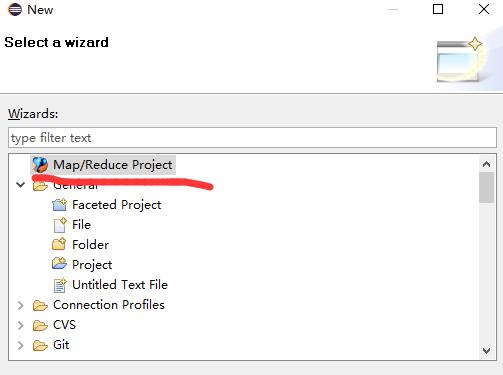
13.创建项目 File==>New==>Other
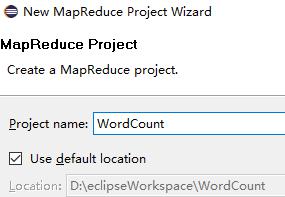
14.项目名称
15.编写源码:
package com.myFirstHadoop;import java.io.IOException;
import java.util.StringTokenizer;import org.apache.hadoop.conf.Configuration;
import org.apache.hadoop.fs.Path;
import org.apache.hadoop.io.IntWritable;
import org.apache.hadoop.io.Text;
import org.apache.hadoop.mapreduce.Job;
import org.apache.hadoop.mapreduce.Mapper;
import org.apache.hadoop.mapreduce.Reducer;
import org.apache.hadoop.mapreduce.lib.input.FileInputFormat;
import org.apache.hadoop.mapreduce.lib.output.FileOutputFormat;
import org.apache.hadoop.util.GenericOptionsParser;public class WorkCount {
public static class TokenizerMapper extends Mapper<Object, Text, Text, IntWritable>{
private final static IntWritable one=new IntWritable(1);
private Text word=new Text();
public void map(Object key,Text value,Context context) throws IOException, InterruptedException{
StringTokenizer itr=new StringTokenizer(value.toString());
while(itr.hasMoreTokens()){
word.set(itr.nextToken());
context.write(word, one);
} }
} public static class IntSumReducer extends Reducer<Text, IntWritable, Text, IntWritable>{
private IntWritable result=new IntWritable();
public void reduce(Text key,Iterable<IntWritable> values,Context context) throws IOException, InterruptedException{
int sum=0;
for(IntWritable val:values){
sum+=val.get();
}
result.set(sum);
context.write(key, result);
}
}
public static void main(String[] args) throws IOException, ClassNotFoundException, InterruptedException {
Configuration conf=new Configuration();
String[] otherArgs=new GenericOptionsParser(conf,args).getRemainingArgs();
if(otherArgs.length<2){
System.err.println("Useage:wordCount <in> [<in> ...] <out>");
System.exit(2);
}
Job job=new Job(conf,"word count");
job.setJarByClass(WorkCount.class);
job.setMapperClass(TokenizerMapper.class);
job.setCombinerClass(IntSumReducer.class);
job.setReducerClass(IntSumReducer.class);
job.setOutputKeyClass(Text.class);
job.setOutputValueClass(IntWritable.class);
for(int i=0;i<otherArgs.length-1;++i){
FileInputFormat.addInputPath(job, new Path(otherArgs[i]));
FileOutputFormat.setOutputPath(job,new Path(otherArgs[otherArgs.length-1]));
System.exit(job.waitForCompletion(true)?0:1);
}
}
}
16.运行前的修改
右击==》run as ==》Run Configurations
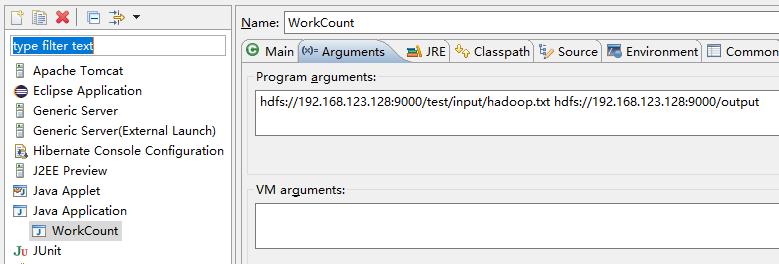
前面一个hdfs是输入文件;后面一个hdfs是输出目录
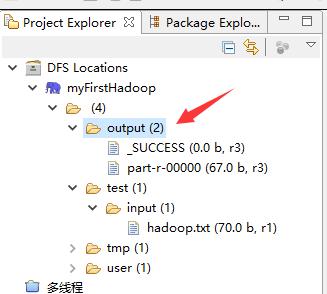
17.回到主界面右击==》Run As==》Run on Hadoop 等运行结束后查看Hadoop目录
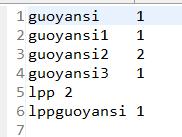
18.查看运行结果:
19.收工。


