

正文
使用HTMLTestRunner模块更优美地展示接口测试报告

 提示:扫一扫查出行
【扫一扫了解最新限行尾号】
复制提示
优化版本的HTMLTestRunner模块,从我的百度网盘获取:
链接:https://pan.baidu.com/s/1f8eLpX5qBrpJsVlXKjquRQ
提取码:qqlu
测试报告展示:
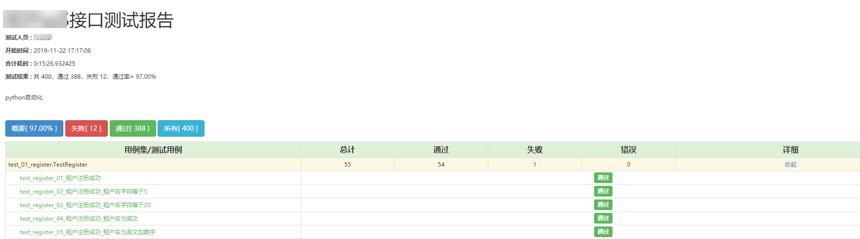
代码展示:
import unittest

from datetime import datetime

from Libs.HTMLTestRunnerNew import HTMLTestRunner

from Common.constants import REPORTS_DIR, CASES_DIR

suite = unittest.defaultTestLoader.discover(CASES_DIR)

with open(REPORTS_DIR + '\\XXXX_ApiReport{}.html'.format(datetime.strftime(datetime.now(), '%Y%m%d%H%M%S')),

          mode='wb') as f:

    runner = HTMLTestRunner(stream=f,

                            title='XXXX接口测试报告',

                            verbosity=2,

                            description='python接口自动化',

                            tester='小公瑾')

    runner.run(suite)
参数说明:
- stream:打开的文件对象,文件格式要求为html
- title:测试报告标题
- verbosity:有0、1、2,2表示详细输入
- description:测试报告的描述
- tester:测试人员名称


