正文
canves图形变换

 提示:扫一扫查出行
【扫一扫了解最新限行尾号】
复制提示
canves用得好可以有好多效果:
html:<canvas id="myCanvas" width="700" height="300"></canvas>
效果一:js代码
function drawTop(ctx, fillStyle){

    ctx.fillStyle = fillStyle;

    ctx.beginPath();

    ctx.arc(0, 0, 30, 0,Math.PI,true);

    ctx.closePath();

    ctx.fill();

}

function drawGrip(ctx){

    ctx.save();

    ctx.fillStyle = "blue";

    ctx.fillRect(-1.5, 0, 1.5, 40);

    ctx.beginPath();

    ctx.strokeStyle="blue";

    ctx.arc(-5, 40, 4, Math.PI,Math.PI*2,true);

    ctx.stroke();

    ctx.closePath();

    ctx.restore();

}

function draw(){

    var ctx = document.getElementById('myCanvas').getContext("2d");

    // 注意:所有的移动都是基于这一上下文。

    ctx.translate(80,80);

    for (var i=1;i<10;i++){

        ctx.save();

        ctx.translate(60*i, 0);

        drawTop(ctx,"rgb("+(30*i)+","+(255-30*i)+",255)");

        drawGrip(ctx);

        ctx.restore();

    }

}

window.onload=function(){

    draw();

}
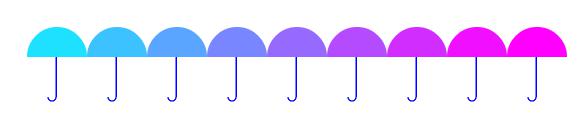
效果图:
效果二:js代码
function drawTop(ctx, fillStyle){

    ctx.fillStyle = fillStyle;

    ctx.beginPath();

    ctx.arc(0,0,30,0,Math.PI,true);

    ctx.closePath();

    ctx.fill();

}

function drawGrip(ctx){

    ctx.save();

    ctx.fillStyle = "blue";

    ctx.fillRect(-1.5, 0, 1.5, 40);

    ctx.beginPath();

    ctx.strokeStyle="blue";

    ctx.arc(-5, 40, 4, Math.PI,Math.PI*2,true);

    ctx.stroke();

    ctx.closePath();

    ctx.restore();

}

function draw(){

    var ctx = document.getElementById('myCanvas').getContext("2d");

    ctx.translate(150,150);

    for (var i=1;i<9;i++)

    {

        ctx.save();

        ctx.rotate(Math.PI*(2/4+i/4));

        ctx.translate(0,-100);

        drawTop(ctx,"rgb("+(30*i)+","+(255-30*i)+",255)");

        drawGrip(ctx);

        ctx.restore();

    }

}

window.onload=function(){

    draw();

}
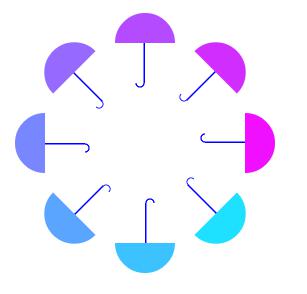
效果图:
效果三:js代码
function draw(){

    var ctx = document.getElementById('myCanvas').getContext("2d");

    ctx.translate(200,20);

    for (var i=1;i<80;i++){

        ctx.save();

        ctx.translate(30,30);

        ctx.scale(0.95,0.95);

        ctx.rotate(Math.PI/12);

        ctx.beginPath();

        ctx.fillStyle="red";

        ctx.globalAlpha="0.4";

        ctx.arc(0,0,50,0,Math.PI*2,true);

        ctx.closePath();

        ctx.fill();

    }

}

window.onload=function(){

    draw();

}
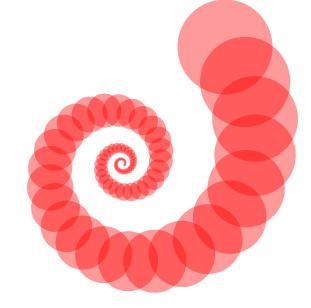
效果图:
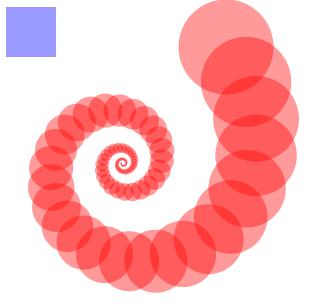
效果四:js代码
function draw(){

    var ctx = document.getElementById('myCanvas').getContext("2d");

    ctx.translate(200,20);

    for (var i=1;i<90;i++){

        ctx.save();

        ctx.transform(0.95,0,0,0.95,30,30);

        ctx.rotate(Math.PI/12);

        ctx.beginPath();

        ctx.fillStyle="red";

        ctx.globalAlpha="0.4";

        ctx.arc(0,0,50,0,Math.PI*2,true);

        ctx.closePath();

        ctx.fill();

    }

    ctx.setTransform(1,0,0,1,10,10);

    ctx.fillStyle="blue";

    ctx.fillRect(0,0,50,50);

    ctx.fill();

}

window.onload=function(){

    draw();

}